TradeYantra is swing trading software built for Indian traders who hold equity and futures for days, weeks or longer. It is not a tips service and not an options machine. It is a swing trading platform that takes the method you already use and runs everything after your chart read: the position size, the stop-loss, the exits in stages, the portfolio risk and the record of what each trade really cost.
Trade Systematically. Manage Risk Precisely. Execute Consistently.
Who it is for
TradeYantra is for you if:
- you trade Indian equities or futures on a swing, positional or investing horizon;
- you can read a chart — the system does not do the analysis for you;
- you have a method, or you are ready to commit to one;
- you care about risk before you care about return.
The selection is yours; TradeYantra replaces the arithmetic and record-keeping that come after it.
The daily workflow: scan, plan, size, protect, journal
A swing trading app is only useful if it fits the evening routine.
Scan
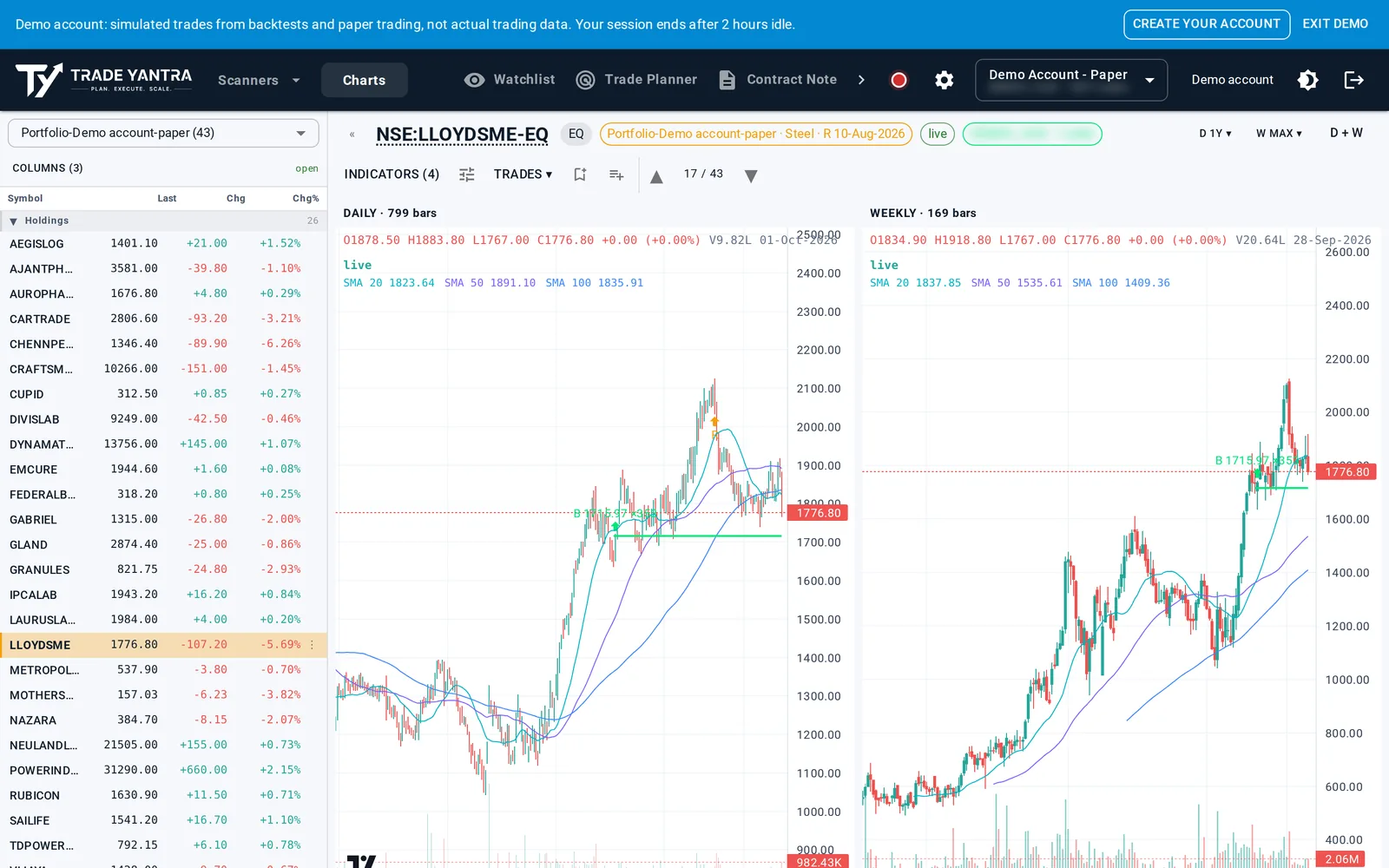
Live scanners look only for stocks in established uptrends. Review a whole scan as daily and weekly charts, arrow key to arrow key, with the scanner name, sector and earnings date on every chart. Shortlist a name with one keystroke, and carry it into the Trade Planner with another.
Plan
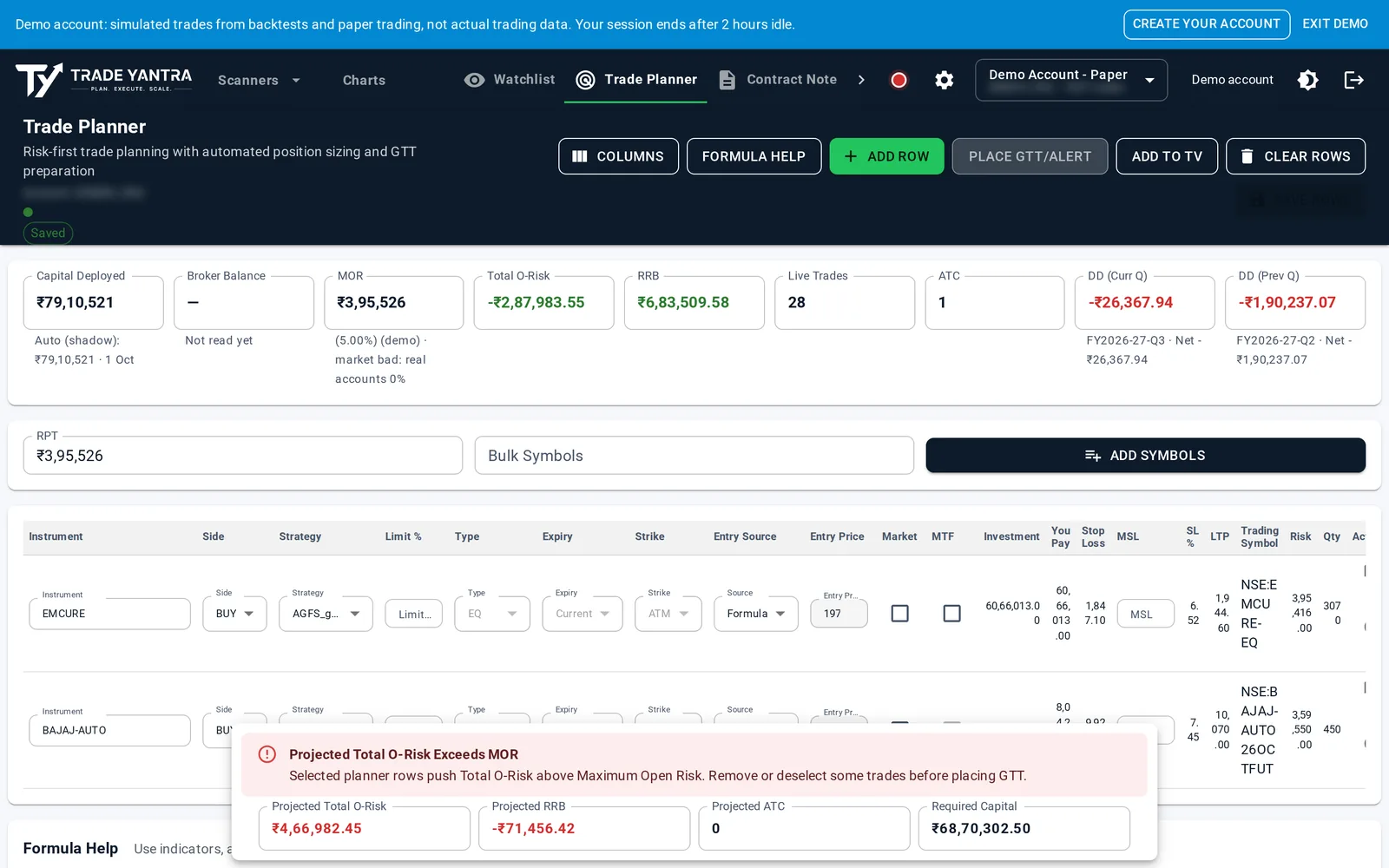
Add symbols one at a time or paste a whole list, and pick your strategy. Entry, stop and quantity are computed for every row against your own risk-per-trade, with the cash and margin each needs, your live open risk, and what it would become if you took them.
Size
Position size is derived from risk, not from capital: quantity = risk-per-trade ÷ (entry − stop), always rounded down, so a position can never risk more than your risk-per-trade. If the basket would push your portfolio past the risk limit you set, the system refuses it. If your account is too small for a strategy, it tells you before the market does.
Protect
Every position carries a stop decided before you enter, sized so a loss costs what you chose. You write your system once as formulas, and every evening the stop and target for each open trade are recalculated for the stage it has reached. Stop and target go to your broker as an OCO pair, so the exit happens whether or not you are watching. Choose a market-order exit on any position and a gap still gets you out.
Journal
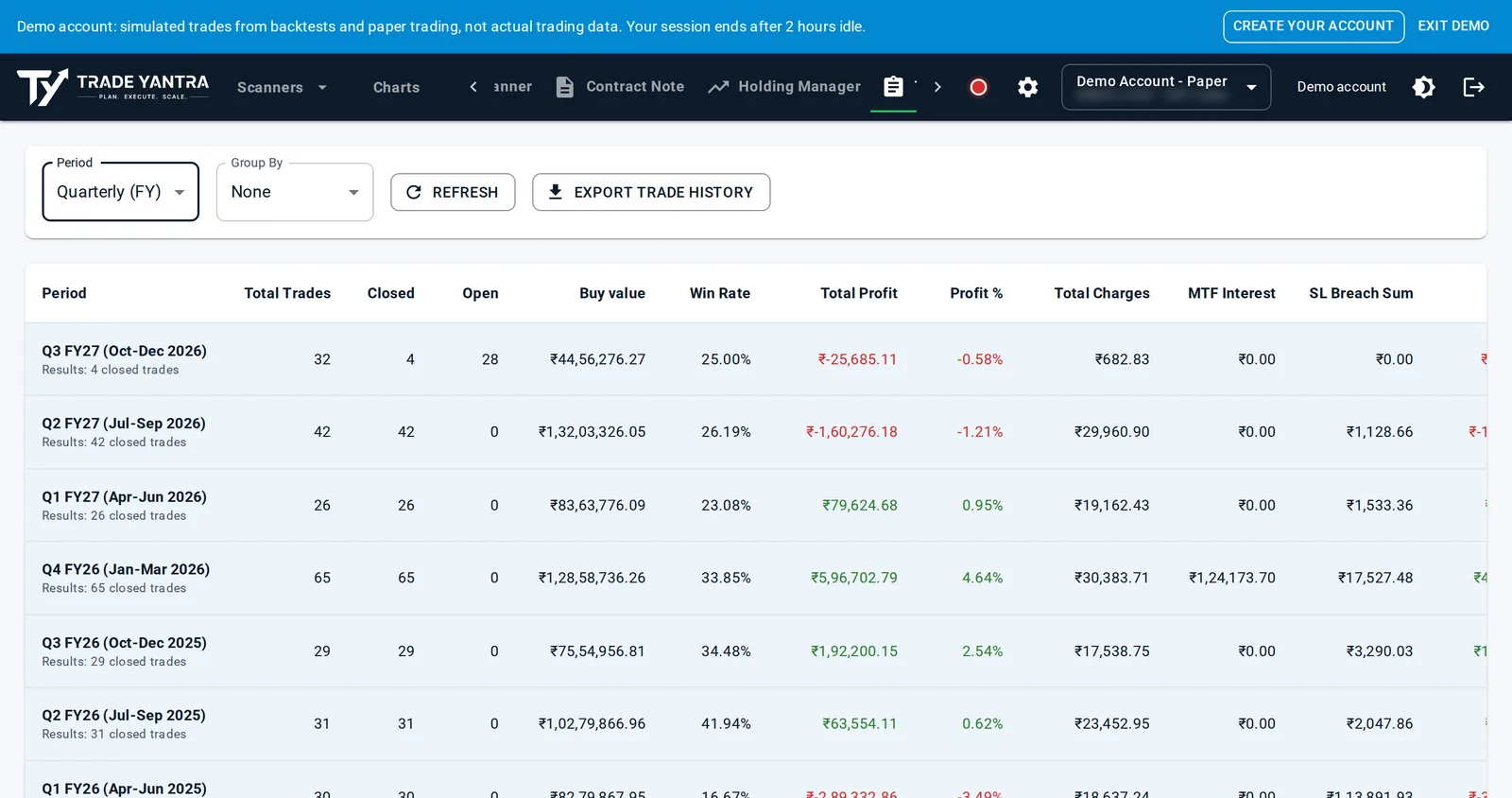
The Tradebook shows the true cost of every trade, including MTF interest. Journal any trade with a note, a link and an image, beside its own order-by-order history and chart. Each quarter you see your win rate, average reward-to-risk and profit factor, after every charge.
Long and short
Equity and futures, long and short. A sell that arrives first opens a short trade, and you write short-side strategies with your own stop and target formulas and stages. The scanners and example strategies are long-only.
Light or dark
The app has a dark theme as well as a light one, switched with a single toggle.
Core or Connected
- Core: everything computed for you; you import your trades each day from your broker's file and place the orders at your broker yourself.
- Connected: your own machine places the orders, on your press or a schedule you set, through the executor on your Windows computer or your own Linux cloud server.
Frequently asked questions
What does swing trading software do that a broker app does not?
Your broker tells you what you own. TradeYantra tells you what you can lose. A broker app holds your orders and positions, but it does not size each new trade from your risk-per-trade, add up the open risk of your whole book if every stop is hit, recalculate each stop and target by your own rules every evening, or show what each trade cost after brokerage, taxes, ledger fees and MTF interest. TradeYantra does those jobs the same way every time.
Does TradeYantra tell me which stocks to buy?
No, and deliberately. TradeYantra ships no tips, no signals and no stock ratings. The scanners surface stocks in established uptrends, but deciding which ones are worth taking is your judgement, and technical-analysis knowledge is expected. The system runs your method; it does not supply one. If you cannot yet decide which stocks are worth taking, it is not the right tool for you at the moment.
Can I use it for short trades?
Yes. TradeYantra supports equity and futures, long and short. A sell that arrives first opens a short trade, and you can write short-side strategies with your own stop and target formulas and as many stages as you need. Two things to know: the scanners only look for stocks in established uptrends, and the ready-made example strategies are long-only. So short setups come from your own analysis, and the short-side strategy is one you write yourself.
Does it place my orders automatically?
Nothing reaches your broker without your press, or a schedule you set. We compute, you authorise, and your machine executes. On Connected, stops and targets go to your broker when you press Update GTT/Alert or at a daily time you choose, and entry orders go only when you press Place; the executor on your own machine places them. On Core, you place the orders at your broker yourself, and everything else — sizing, stops, targets and the record — works the same way.
Do I need to connect my broker or get a static IP?
Not on Core. There is no broker connection, no API key and no static IP; you import your broker's trade file each day and place orders at your broker. Connected needs a static IP registered with your broker, because SEBI has required API orders to come from a registered static IP since April 2026. You arrange that with your internet provider and your broker. Your broker credentials stay on your own machine; TradeYantra's servers never receive them.
Try the arithmetic first
Free tools, using the same rules: the Position Size Calculator, the Risk Planner and the Edge Calculator.
Updated 2026-10-16